
Forever Chat
v0.3.0
A modern chat window for WoW Forever: tabs you can drag, whispers like a messenger, player levels, command suggestions, bubbles while hidden, and filters for gold spam and repeated lines.
For the World of Warcraft Forever client
17 addons, all free on CurseForge: talk to the other faction, write macros that work, look at every mount in 3D, a minimap you can zoom out, rings of spells under one key and more.
Every addon is free and lives on CurseForge. Click one for screenshots, what it does and what changed.
v0.3.0
A modern chat window for WoW Forever: tabs you can drag, whispers like a messenger, player levels, command suggestions, bubbles while hidden, and filters for gold spam and repeated lines.
v0.15.0
A command console like a terminal: suggestions as you type, Tab completion, help, history, aliases, a Lua inspector and copyable output.
v0.1.1
A carved cuckoo clock on your screen: the bird calls the hours, wakes you with an alarm and ends your timers. Cuckoo, owl, raven, chicken or murloc.

v0.5.2
Fun items, toys, gadgets, holiday novelties, pets and mounts for WoW Forever: what each does, where to get it with the exact NPC spot, and what you still miss.
v0.1.0
Herb and ore nodes on the world map and minimap, coloured by your skill, with a skill-up filter and an arrow to the nearest node.

v0.1.0
Herb and ore spawn points for Forever Gather: about 24,500 nodes in 40 zones, from the QuestieDB and CMaNGOS spawn lists (GPLv3).
v0.5.3
A macro editor for WoW Forever that checks what you write: colours, line numbers, suggestions, a problems list, a Test button, a guide to every command, templates and backups.

v0.1.24
A bigger, sharper minimap you can drag around and zoom far out, drawn from the game's own tiles. Waypoints, pings and map pins for your group, coordinates under the cursor and your addons' marks.

v0.2.2
Every mount in WoW Forever in 3D, also the ones you do not have yet: turn and zoom it, see yourself on it, and learn where to get it and who it is for.

v0.2.0
Rock Paper Scissors with other players in WoW Forever: best of 1, 3 or 5, a Murloc mode, sealed picks nobody can peek at, emotes, and your record against everyone.
v0.2.1
How far your enemy target is, in yard bands from the game's own range checks, with a loud warning when you stand in a hunter's dead zone.
v0.2.0
Rings of actions on a held key: hold it, point at a spell, item, toy, mount, macro or emote and let go. Works in combat, with mouse or gamepad.
v0.1.0
Your controller tells you what happens in combat: vibrations and DualSense light bar colours for procs, lit abilities, low health, enemy casts and stuns. Every class. Experimental.

v0.1.0
One search over every setting: the game's options, key bindings and the panels of your other addons. Choose a result and its panel opens with the setting marked.
v0.6.0
A speedometer for your movement speed: a gauge with a sweeping needle, km/h and the percentage of run speed, five designs.
v0.4.1
All your addons in one thin bar on any edge of the screen, like the Windows taskbar: a click does what the minimap button does. Gold, volume, mail, calendar and clock included.
v1.11.0
Talk to the other faction: see what their garbled chat may mean, say lines they can read, and send coded messages to other Forever Tongues users.
For addon authors
Desktop IDE for World of Warcraft addons, with an emulated game and MCP for AI agents.
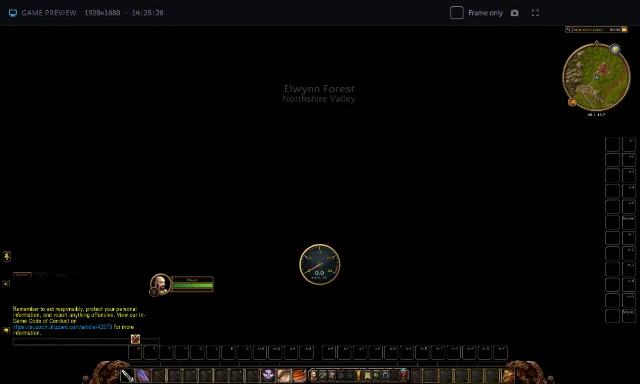
Write, run and debug your addon in an emulated game on your desktop, without logging in. The same IDE these addons are built with.
Questions, bug reports and ideas for every addon: #help, #bug-reports, #feature-requests, and #releases to see each new version first.