Forever Curios
Fun items, toys, gadgets, holiday novelties, pets and mounts for WoW Forever: what each does, where to get it with the exact NPC spot, and what you still miss.
Screenshots
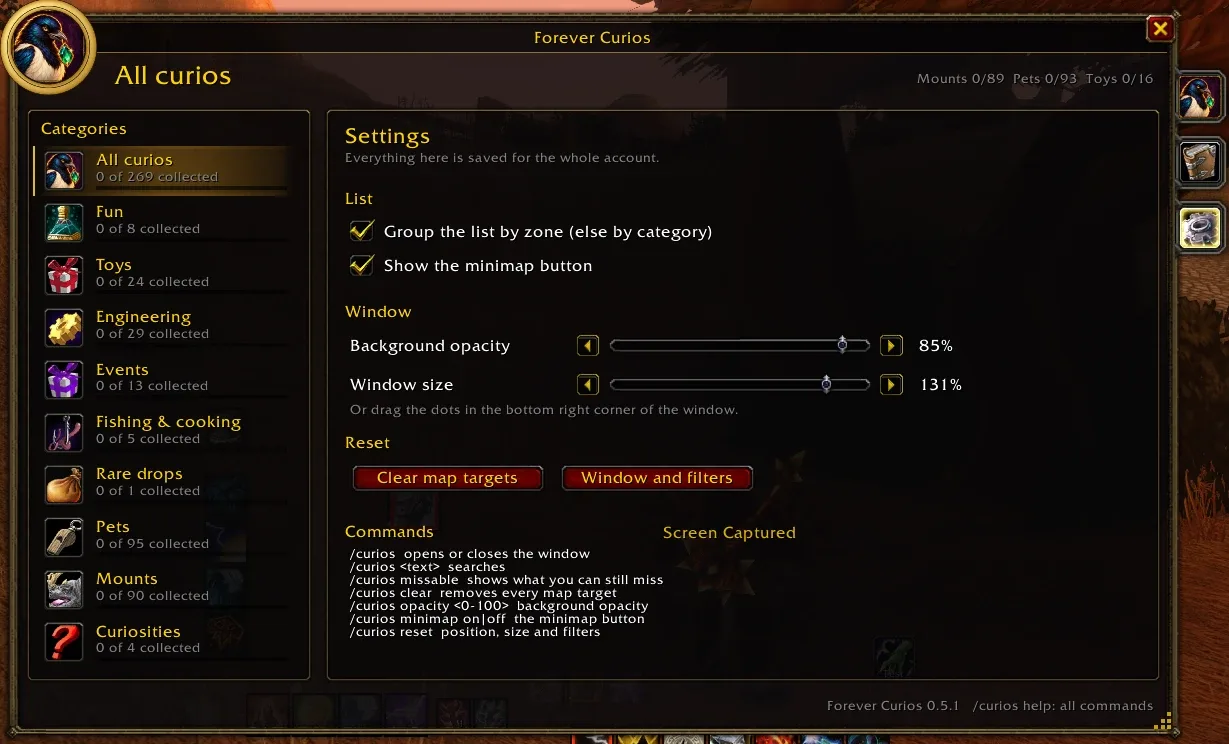
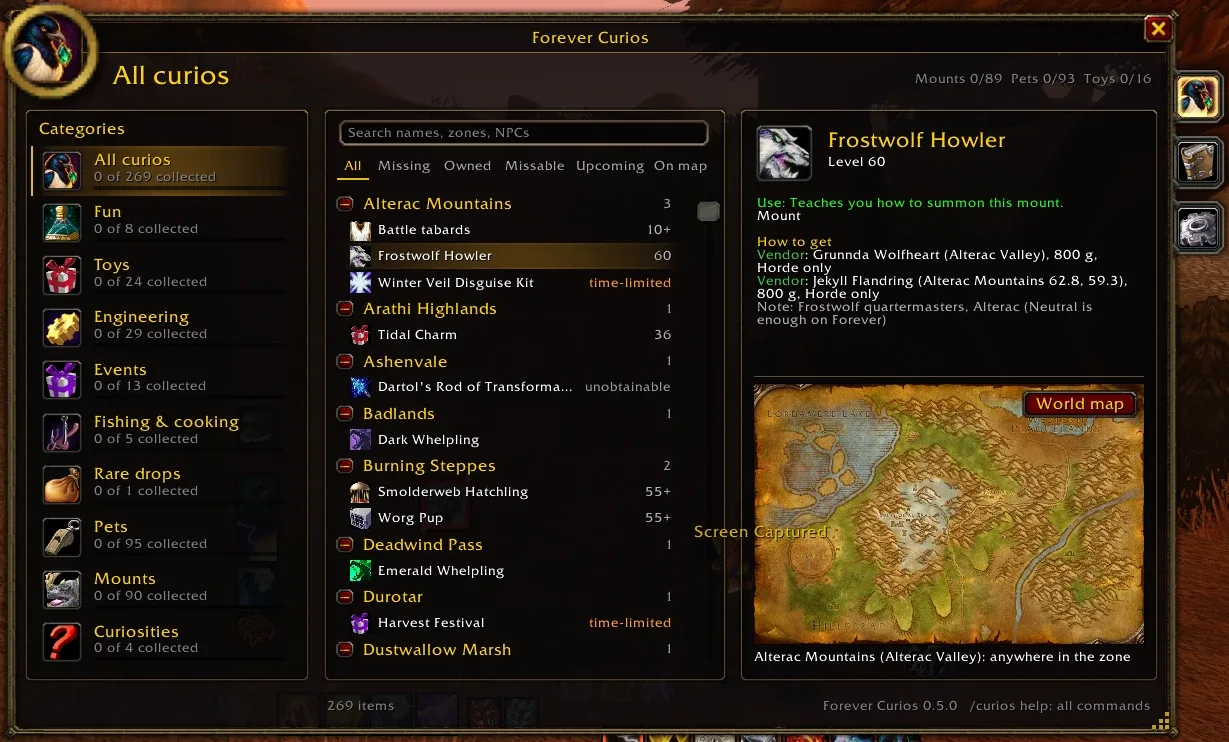
What it does
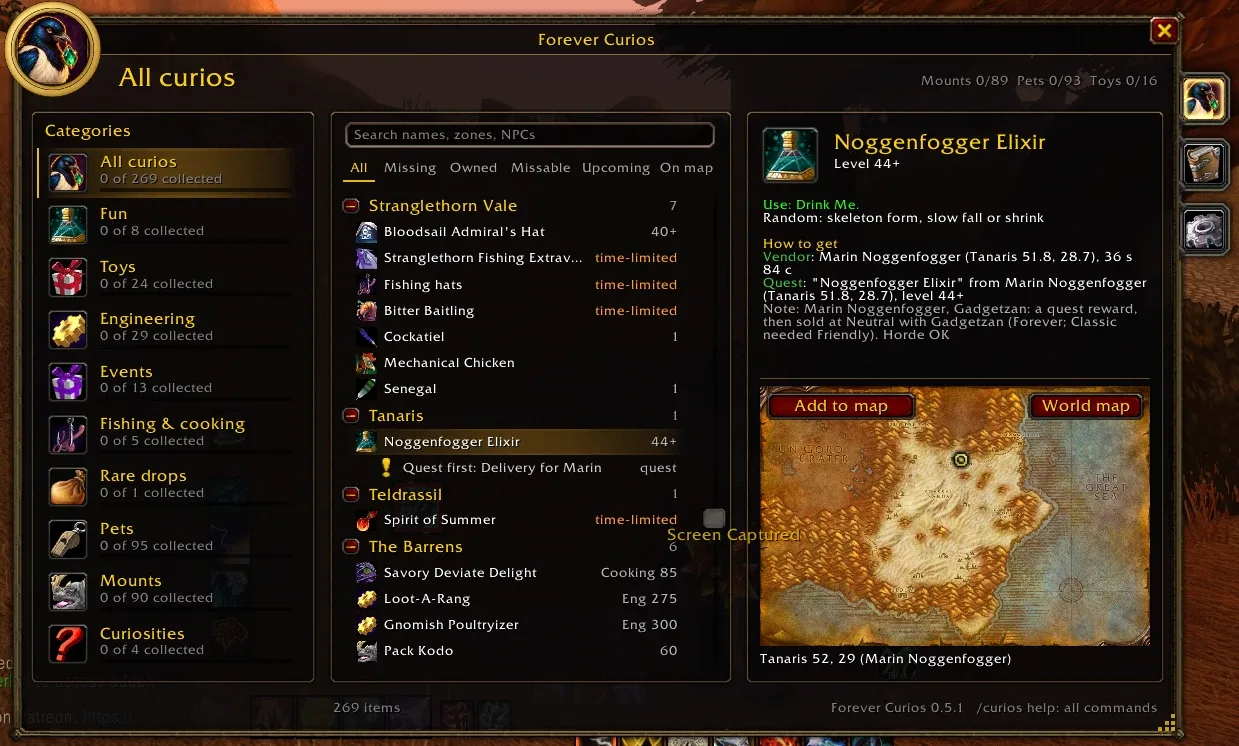
Every fun thing worth having in WoW Forever, and where to get it. Forever Curios is a collector's guide in one window: toys, novelty potions, engineering gadgets, holiday rewards, pets and mounts. Each one shows what it does, how to get it on Forever, and the exact spot of the NPC who sells it, drops it or gives the quest.
- Where to get it, exactly. Every source names the NPC with zone and coordinates, for example Vendor: Harb Clawhoof (Mulgore 46.7, 62.1), 35 g 55 s. You also see the price, the faction, the reputation, the quest level or the drop chance. An NPC inside a dungeon shows the dungeon.
- A map on every item. The zone map shows a pin on the NPC. Add to map puts the pin on your world map, so you can walk there.
- What it needs first. A click on an item lists what comes before it: the recipe, the reagents, the previous quest or the reputation. Click one of those to see where to get it.
- What you have. On Forever the mount, pet and toy journals tell the addon what you have collected. Owned items get a green tick, and every category shows how many you have.
- Don't miss out. Holiday and one-time items are marked time-limited or once. The Missable and Upcoming filters show what you could still miss.
- Tooltips. Any tooltip of a listed item also tells you how to get it.
The window
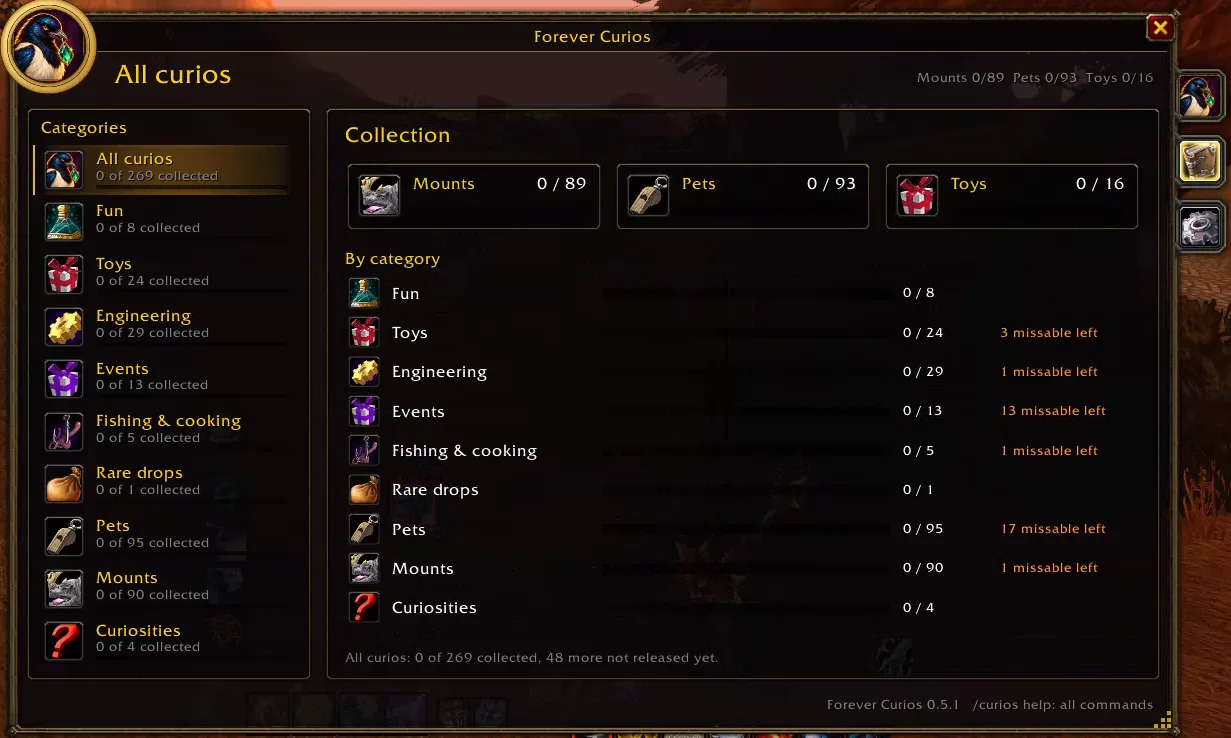
- Categories on the left: Fun, Toys, Engineering, Events, Fishing & cooking, Rare drops, Pets, Mounts and Curiosities, each with how much of it you have.
- The list in the middle, grouped by zone or by category, with a search (names, zones, NPCs) and filters: All, Missing, Owned, Missable, Upcoming, On map.
- The item on the right: what it does, how to get it, and its zone map.
- Collection tab: bars for the Mounts, Pets and Toys journals and for each category, with the missable items you still lack.
- Settings tab: grouping, the minimap button, background opacity and window size.
- Drag the dots in the bottom right corner to make the window larger or smaller (70–150 %).
Commands
| Command | What it does |
|---|---|
/curios |
open or close the window (or click the minimap button) |
/curios <text> |
open it with a search |
/curios missable |
show only the time-limited and one-time items |
/curios clear |
remove every pin from the world map |
/curios size <70-150> |
window size |
/curios opacity <0-100> |
background opacity |
/curios minimap on \| off |
show or hide the minimap button |
/curios options |
open the settings |
/curios reset |
put the window, its size and the filters back |
Good to know
- Made for the Forever client (Interface 16001).
- The sources come from Wowhead's Forever database, which players gathered during the beta. Some items have no known source on Forever yet. They are marked check, with the Classic source as a hint. If a source is wrong, please tell me in the comments.
- Settings are saved per account.
Changelog
0.5.2 current
Features
- The collection follows the Forever client 1.60.1.70755: the new toy Pouch of Violet Dust (from the WoW: Forever Launch Celebration, marked time-limited), and Dartol's Rod in the toy journal is now Replica Dartol's Rod of Transformation, so owning it shows again. Where both are given is not known yet.
0.5.1
Changes
- First release on CurseForge. Fun items, toys, engineering gadgets, holiday novelties, pets and mounts in one window: what each does, how to get it on Forever with the exact spot of every NPC (from Wowhead's Forever database), a zone map with a pin, what it needs first, and what you have from the mount, pet and toy journals.
Bug fixes
- The round portrait in the top corner of the window is sharp: its own 128 px picture and a 256 px gold ring instead of the blurry 64 px minimap ring.
0.5.0
Features
- Every item was checked against Wowhead's Forever database. The use texts and the how-to-get texts follow Forever (new items, Forever item IDs, vendors that need another reputation, drops that became quests), and every NPC source shows where the NPC stands, for example
Vendor: Harb Clawhoof (Mulgore 46.7, 62.1), with the price, the faction, the quest level or the drop chance. NPCs inside a dungeon show the dungeon. Items Wowhead Forever does not list yet are marked "check". Not yet checked in game.
0.4.1
Features
- The window can be made larger or smaller (70–150 %): drag the dots in its bottom right corner, use the Window size slider in Settings, or type
/curios size <70-150>.
0.4.0
Features
- A new, larger window in three columns: the categories on the left with how much of each you have, the list with a search and filter chips (All, Missing, Owned, Missable, Upcoming, On map) in the middle, and the selected item with its zone map on the right. What you have gets a green tick. Not yet checked in game.
- Tabs on the right edge of the window: Collection shows bars for the Mounts, Pets and Toys journals and for each category, with the missable items you still lack; Settings has grouping, the minimap button, a background opacity slider and the resets.
/curios optionsopens it. - A minimap button: a click opens or closes the window, a right click opens the settings, dragging moves it around the minimap.
/curios minimap on|offshows or hides it.
Help and feedback
Questions, bugs and ideas are welcome on the Forever Addons Discord: #help for setting it up, #bug-reports when something is broken (the addon version and the error text help a lot), #feature-requests for ideas.