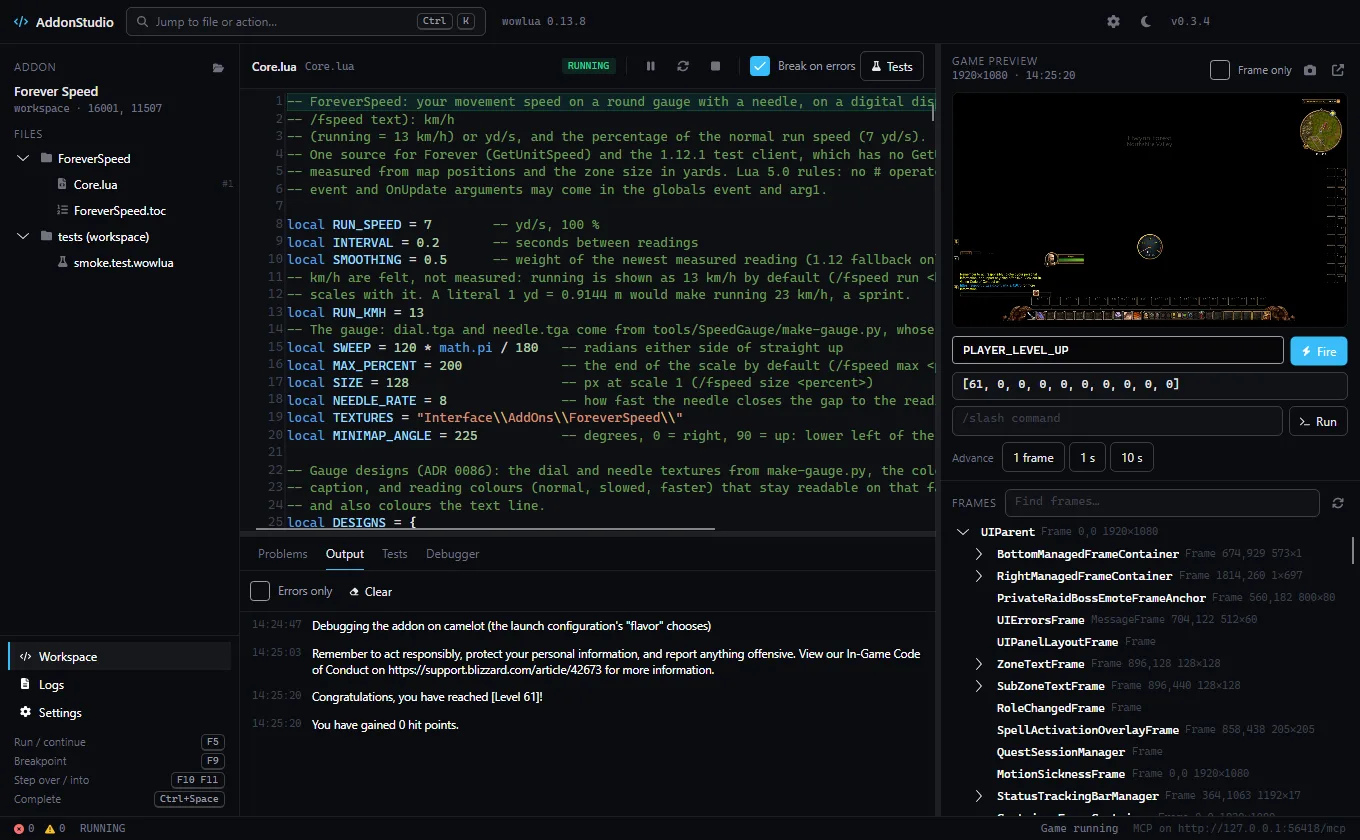
Files and editor
the addon's files in TOC order, Lua/XML highlighting, wowlua's diagnostics, completion, breakpoints in the gutter.
For addon authors · Windows
 AddonStudio
Desktop IDE for World of Warcraft addons, with an emulated game and MCP for AI agents.
Edit your addon, check it, run its tests and play with it in an emulated game client — frames you can click, events you can fire, a debugger that stops on your breakpoints. AI agents can do all of it too, over MCP.
the addon's files in TOC order, Lua/XML highlighting, wowlua's diagnostics, completion, breakpoints in the gutter.
runs wowlua test; addons without their own tests get a workspace smoke test.
starts the addon in wowlua's emulated client: a preview you can click (also in its own resizable, full-screen window), the frame tree, events with payloads (e.g. PLAYER_LEVEL_UP), slash commands, a manual clock, runtime errors.
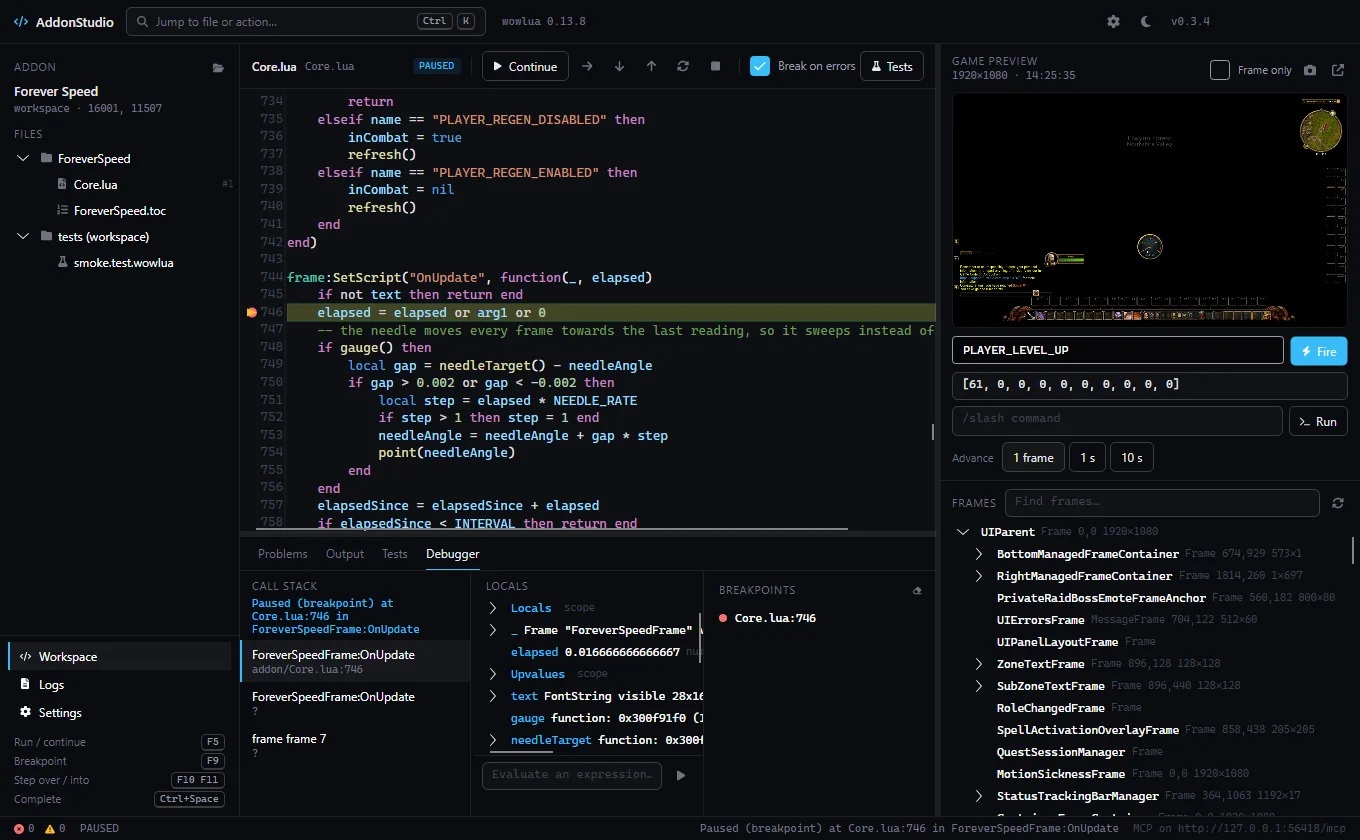
breakpoints, break on errors, stepping, call stack, locals, evaluate.
a loopback MCP server; Settings shows the claude mcp add --transport http addonstudio <url> command.
AddonStudio runs a local MCP server while it is open. Add it to Claude Code (or any MCP client) with one command from Settings, and an agent can open your addon, run it in the emulated game, fire events, click frames, take screenshots, read errors and step through the debugger.
claude mcp add --transport http addonstudio http://127.0.0.1:49980/mcpstudio_state open_project list_files read_file diagnostics last_errors run_tests start_session stop_session fire_event advance interact world screenshot frames output set_breakpoints debug stack inspect
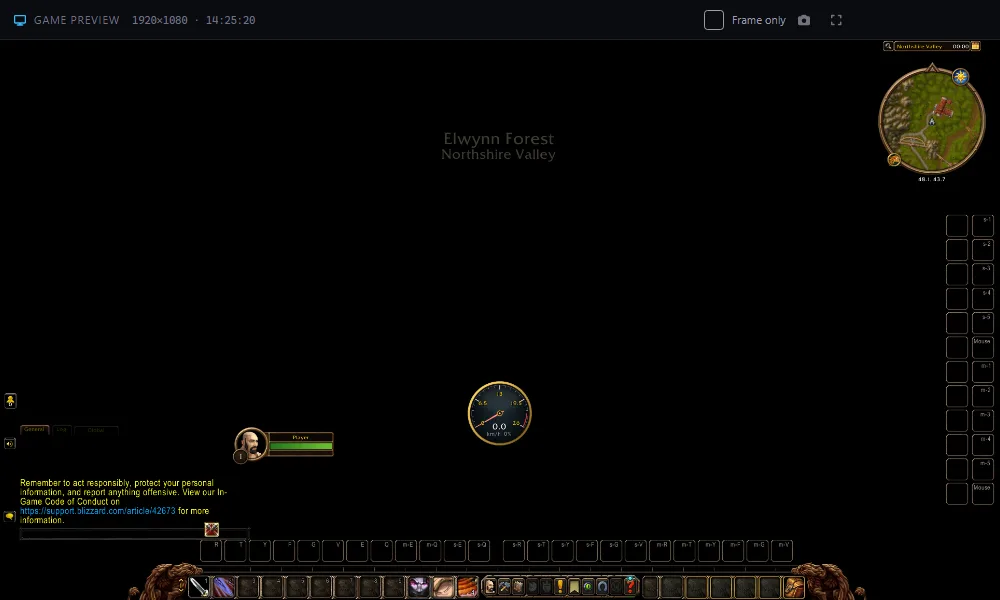
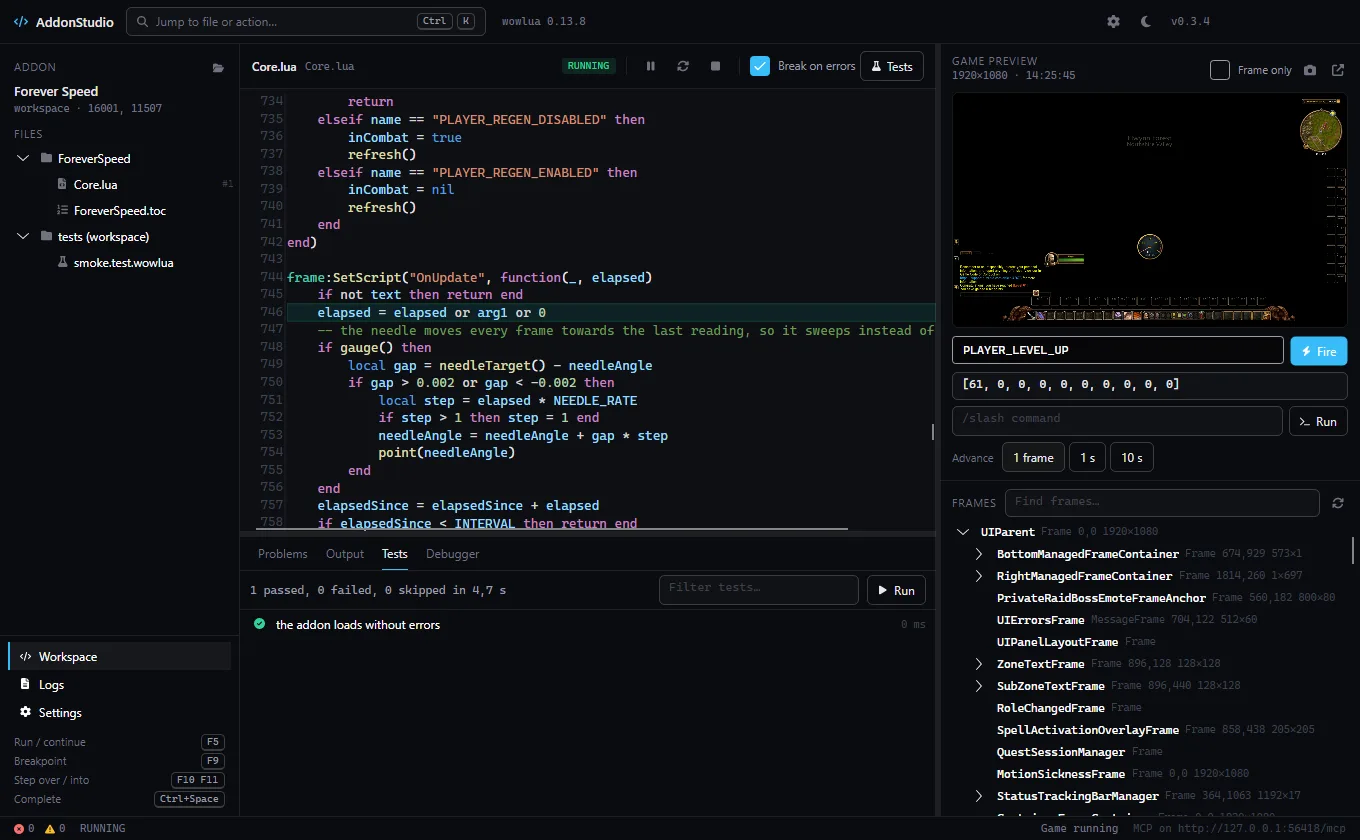
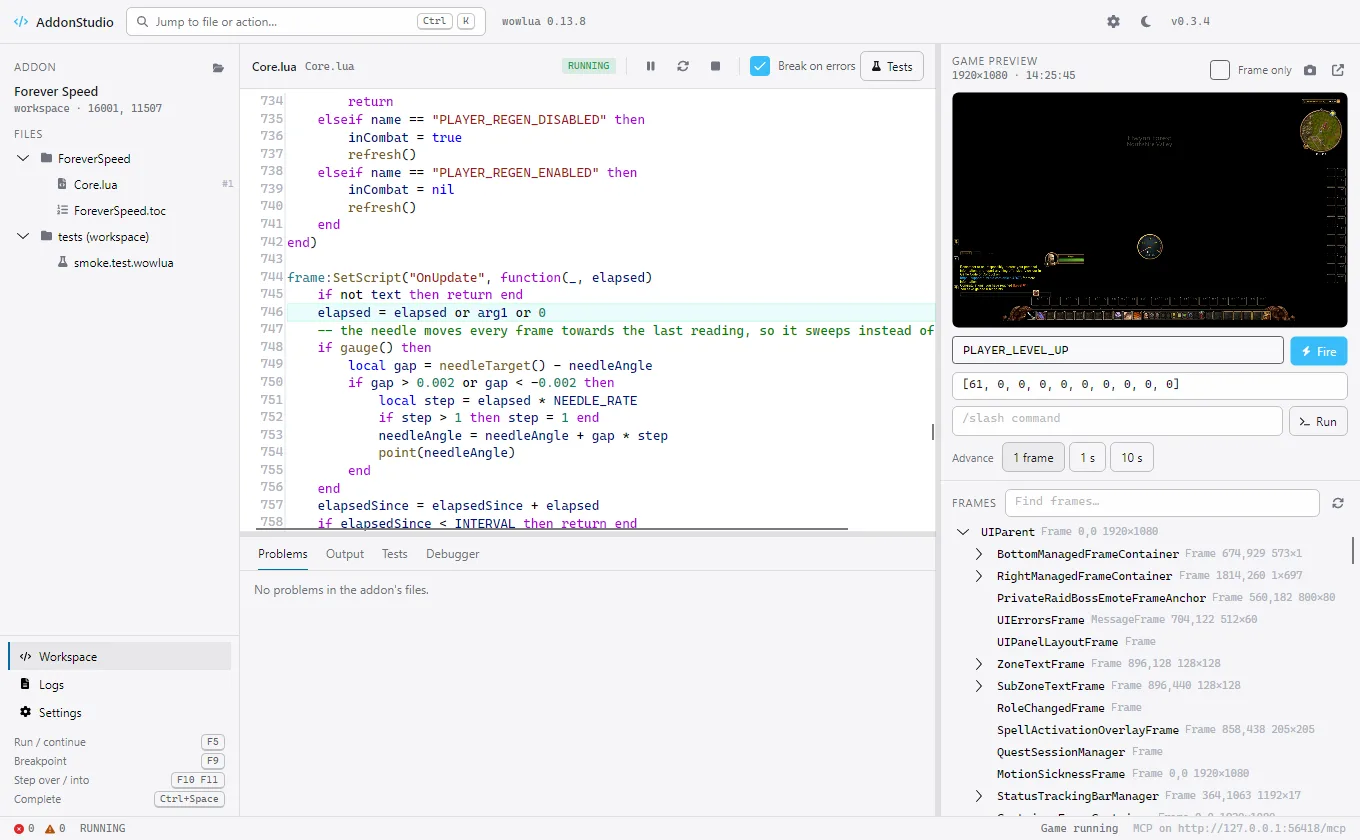
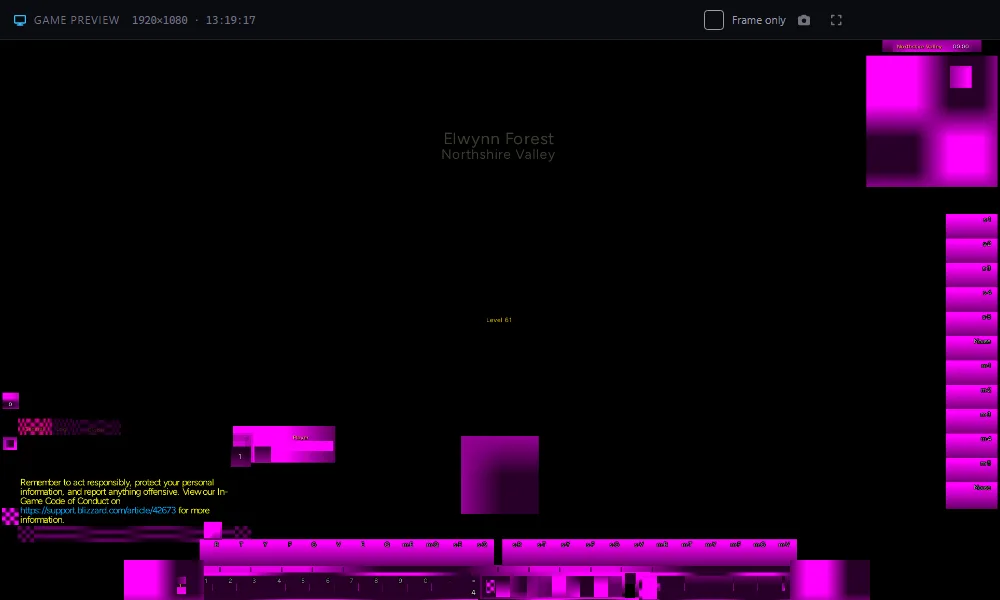
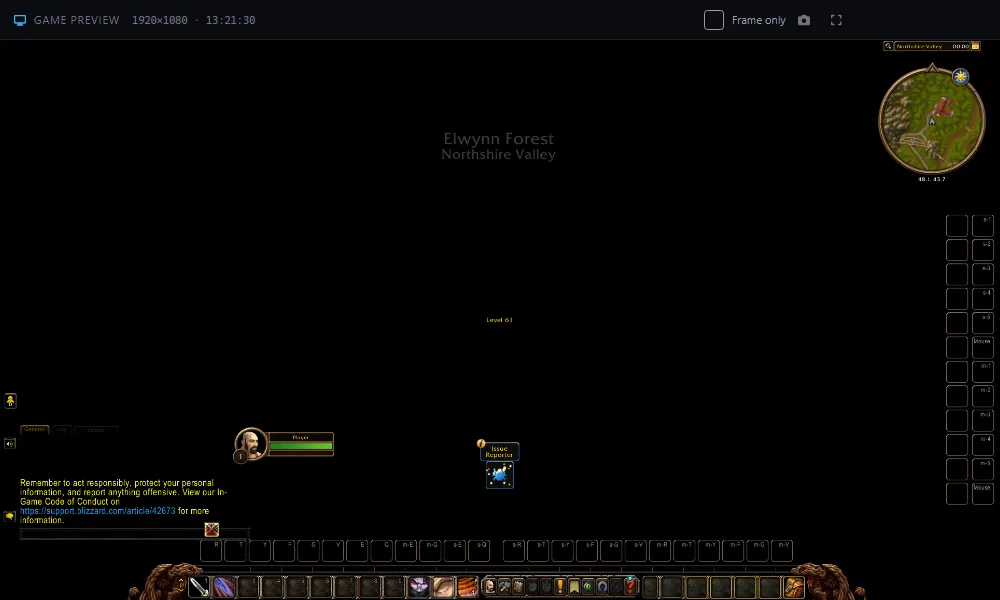
AddonStudio ships no Blizzard files. Point it at your World of Warcraft folder and the preview reads the real textures and fonts straight from your client, read-only. Without a client, frames, text, layout and events still work, with placeholder textures.
Yes. AddonStudio runs with every feature for 14 days, no card needed. After that it asks for a license key.
A license key with one year of updates. Every AddonStudio version released during that year keeps working for good, even after the year ends; renew to get the versions after it. Prices include VAT.
One key works on up to 3 PCs. Move it to a new PC with Deactivate on this PC in Settings.
No. Without a client the preview uses placeholder textures; everything else works. With your own client (any folder that holds .build.info and Data) the preview draws the real textures and fonts. AddonStudio only reads the client and never changes it.
It is built and tested with addons for WoW Forever, including every addon on this site. The emulator follows the modern WoW interface, so many other addons run too, but they are not tested.
No. AddonStudio never runs inside the game, never logs in and never talks to Blizzard. It runs your addon in its own emulated client on your desktop.
Blizzard's rules say addons must be free, and they are. AddonStudio is a separate development tool for people who write addons; the money keeps it and the addons going.
AddonStudio is built on wowlua by Domenik Irrgang, an open-source (MIT) language, emulator and toolchain for WoW addons. It gives AddonStudio its emulated client, type checker, test runner and debugger. Many thanks to its author.
The Forever Addons Discord, channel #help. For a payment or invoice question, reply to the receipt e-mail from Lemon Squeezy.
## X-… lines reach the emulated client, so C_AddOns.GetAddOnMetadata("MyAddon", "X-Discord")
answers what the TOC says instead of nothing. The generated workspace manifest carried the fields World of
Warcraft defines and dropped everything the addon had added of its own.Show Blizzard's PTR Issue Reporter brings it back.icon.tga and anything under media/ was missing; the workspace now
ships them with the addon. Magenta again means only that wowlua cannot read the World of Warcraft client..toc shows up in the next session. The workspace manifest was generated the first time an
addon was opened and never again, so a new ## Version, title, icon, saved variable or Lua file was ignored for
as long as the workspace existed. It now follows the TOC on every open and still keeps hand edits of its own.Check for updates is in Ctrl+K. Settings → update feed takes a different manifest URL,
or off to stop checking; an empty field now means the app store instead of no updates..build.info); it is only read._classic_beta_) or InterfaceAddOns sets the client folder above it; a folder
that is not a WoW client is refused on save.read_file, list_files and the editor no longer read, list, open or save files through a link inside the
addon that points outside it.Built on wowlua © 2026 Domenik Irrgang, MIT License. World of Warcraft textures and interface code come from Blizzard through your own client and are not part of AddonStudio.