
Forever Fone
A goblin brass phone that whispers links and small pictures to your friends. Just an experiment and a fun project, not a polished tool.
Screenshots
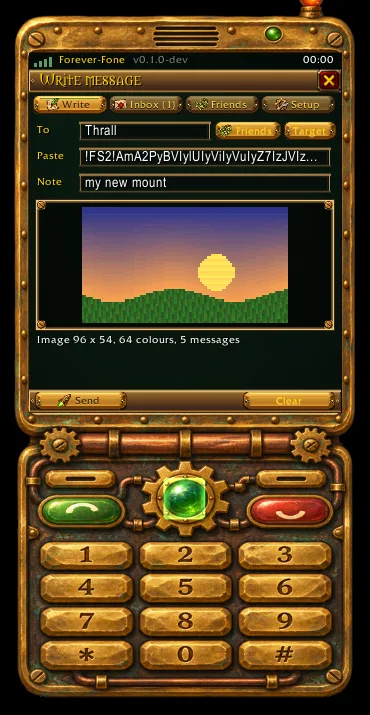
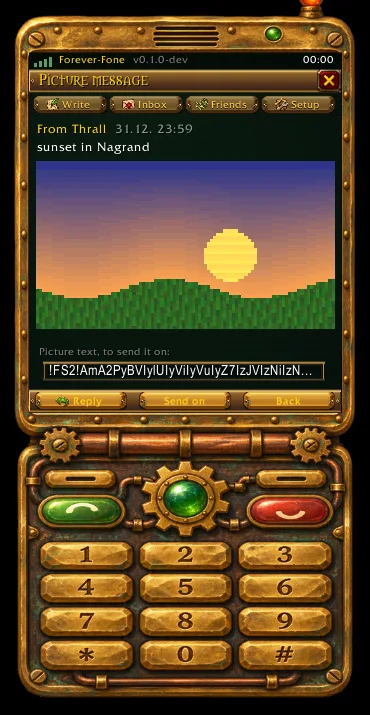
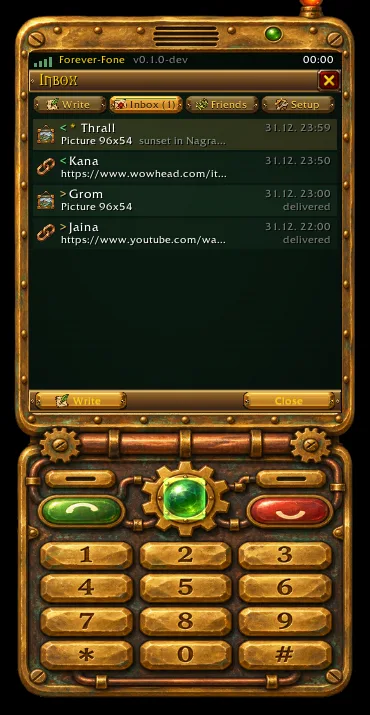
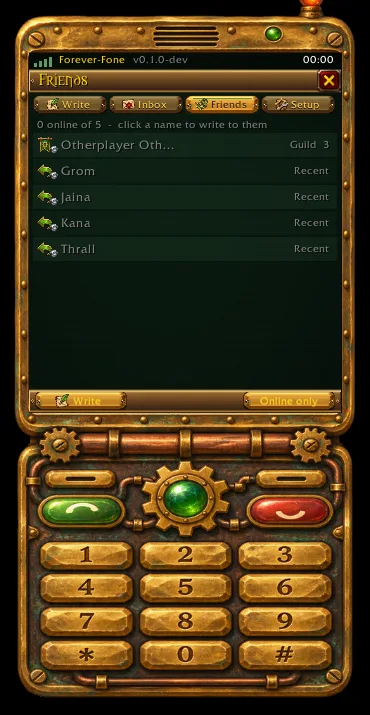
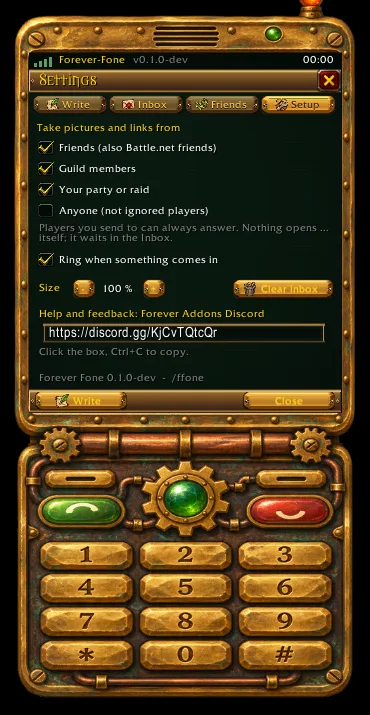
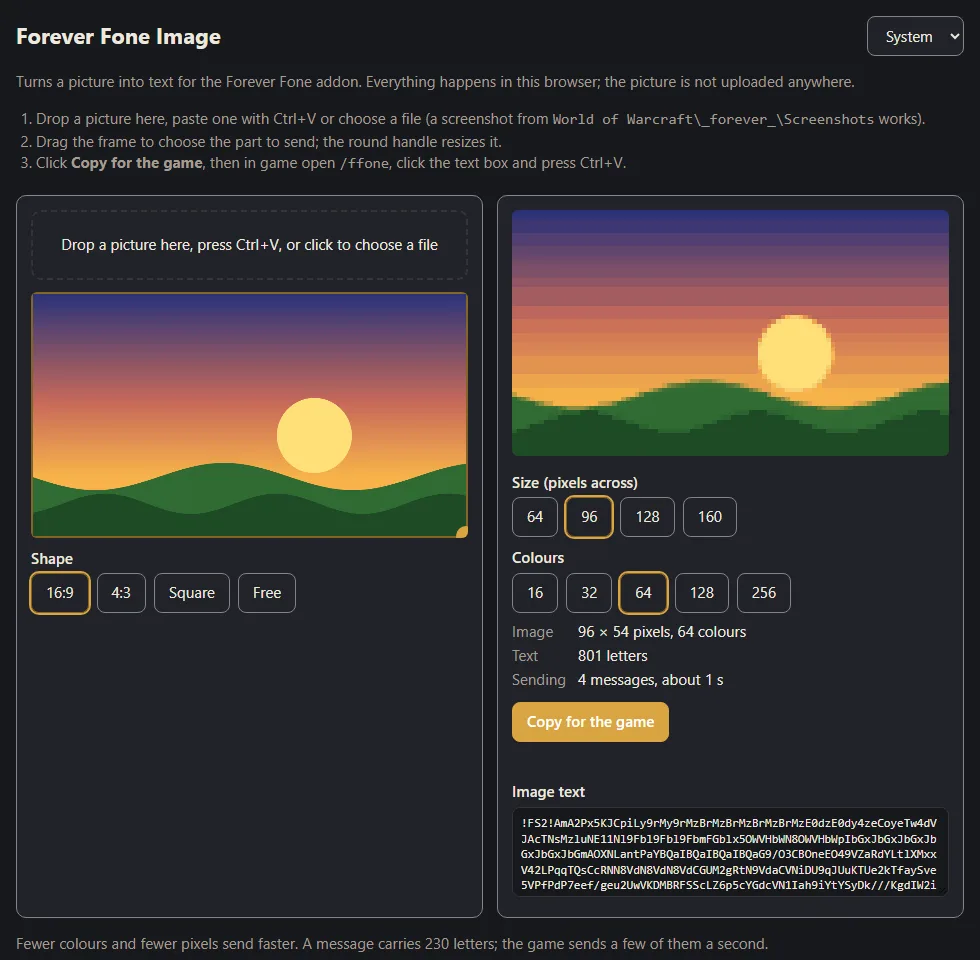
Make a picture
Turn a screenshot into text for the phone. It all happens in your browser; the picture is not uploaded
anywhere. The same page is in the addon folder as ImagePage.html and works offline.
What it does
A goblin-made brass phone that sends links and small pictures to your friends, by whisper.
Just an experiment, made for fun. Forever Fone is a fun project that tries out how far addon whispers can go, not a polished or supported tool. It has not yet been tried between two players in the live game, so pictures may arrive slowly, break, or not arrive at all. Please don't rely on it for anything important. If you try it, tell us on Discord what worked and what didn't; that is the whole point of the experiment.
WoW addons cannot open files, read the clipboard or show a picture from the internet. Forever Fone gets around that in a goblin way: a small web page that comes with the addon turns your picture into text, you paste the text into the phone, and the phone whispers it to your friend in small pieces. Their phone puts the picture back together.
What it does
- The Forever-Fone MK II: a clamshell phone of brass, copper and gears, painted by hand, with a screen for Write, Inbox, Friends and Setup. The keys on the keypad work: green sends or opens the newest message, red goes back or closes, 1-4 switch pages, * and # scroll, and the green gem glows when something new waits.
- Links: paste a link, your friend gets it in a box to copy (Ctrl+C) into their browser.
- Small pictures: 64 to 160 pixels across, 16 to 256 colours. A 96 × 54 screenshot travels in about 14 whispers.
- Friends: your friends, Battle.net friends, guild, group and the people you wrote to, online first with class colours. A click fills in the name.
- Nothing pops up unasked: a small notice says something came; it waits in the Inbox (last 50 messages) until you open it. Friends, guild and group can send to you by default, strangers only if you switch it on, ignored players never.
- Open it from the addon list by the minimap, which also shows how many messages are new.
How to send a picture
- Open the picture maker at https://addons.tomlabs.cz/addons/forever-fone/#picture (the phone shows the address to copy). The same page
ships in the addon folder as
ImagePage.htmland works offline; the picture is not uploaded anywhere. - Drop a screenshot, drag the frame over the part you want, pick the size and colours, click Copy for the game.
- In game type
/ffone Name, click Paste and press Ctrl+V, then Send.
Commands
| Command | What it does |
|---|---|
/ffone |
opens the phone |
/ffone Name |
writes to that character |
/ffone inbox |
the Inbox |
/ffone friends |
the Friends list |
/ffone settings |
who may send to you, the ring sound, the phone size |
/ffone version |
the version and the Discord link |
Ctrl + mouse wheel over the phone makes it bigger or smaller.
Good to know
- Only WoW Forever. Your friend needs Forever Fone too.
- Addon whispers reach only players of your own faction.
- The game lets addons send only a few messages a second, so a picture takes a few seconds; fewer pixels and fewer colours are faster.
Changelog
0.1.0 current
Features
- An experiment and a fun project, not a polished tool; it has not yet been tried between two players in the live game, so expect rough edges, and tell us on Discord what works and what does not. A new addon, Forever Fone, sends links and small pictures to a friend by whisper, on the Forever-Fone MK II, a goblin-made clamshell phone of brass and gears, with painted art, brass buttons and tabs, whose screen holds Write, Inbox, Friends and Setup. Friends lists your friends, Battle.net friends, guild, group and recent correspondents, online first with class colours; a click fills in the name. Names with a space (Maxim Foxfang) work. Pictures are compressed: a 96 × 54 screenshot goes in about 14 messages. Forever Fone in the addon list by the minimap opens and closes the phone and shows how many messages are new. The phone's keypad works: green sends or opens the newest message, red goes back or closes, 1-4 switch pages, * and # scroll, and the green gem lights up when something new waits. Pictures are made on the picture maker page at addons.tomlabs.cz, whose address the phone shows to copy (the same page ships in the addon folder as ImagePage.html and works offline): drop a screenshot, choose the part, size and colours, click Copy for the game and press Ctrl+V in
/ffone, with no /reload. The friend gets a notice and opens the picture or link with a click; friends, guild and group are allowed by default, strangers only when switched on, ignored players never. The Inbox keeps the last 50 messages; Settings has the Discord link and the phone size (also Ctrl + mouse wheel).
Help and feedback
Questions, bugs and ideas are welcome on the Forever Addons Discord: #help for setting it up, #bug-reports when something is broken (the addon version and the error text help a lot), #feature-requests for ideas.